Habibi CapCut (Direct Link) Template 2025
Few template trends have had the staying power of Habibi. Built around a dramatic Arabic pop track with a beat drop that practically edits the video for you, the Habibi CapCut template turned couple photos, glow-ups, and attitude edits into cinematic mini-trailers. Years after it first blew up, creators are still posting new versions — and still searching for a direct link to the best template variants.
This guide covers what the Habibi trend actually is, the music that powers it, how to use the template step by step, and the editing choices that separate a great Habibi edit from a generic one.
What the Habibi trend is
“Habibi” is an Arabic term of endearment meaning “my love” or “my dear.” The trend pairs that emotionally charged word — usually in a high-energy Arabic pop or remix track — with fast-cut, high-contrast edits. The classic Habibi edit opens slow and moody, then detonates on the beat drop: strobe cuts, zooms, shake effects, and glowing text, all landing exactly on the music’s punches.
The format proved incredibly versatile. Couples use it for romantic edits, creators use it for glow-up reveals and attitude reels, and editors use it as a showcase piece for pure cutting skill. The template exists in dozens of variants — photo remix, slow motion, lyrics, emoji transitions — but they all share the same DNA: build-up, drop, impact.
The sound behind the trend
The trend’s engine is its audio. The most-used Habibi tracks are remixes that stretch the tension before the drop — sometimes a slowed vocal intro, sometimes a riser that keeps climbing. That structure is what makes the template so satisfying: the edit has a built-in climax, and every cut you place on the drop feels explosive without any extra effort.
When choosing between template variants, listen first. The best Habibi templates are cut to a specific remix, and swapping in a different track afterward usually breaks the sync. Pick the variant whose music you actually like, because the audio does half the work.
How to use the template
- Open the Habibi template link or find “Habibi” in CapCut’s template search. Preview several variants — photo remix, slow motion, and lyrics versions each suit different material.
- Tap “Use template.” Check how many clips or photos it needs; most Habibi templates ask for between 5 and 15.
- Add your media in the order the preview suggests. Put your highest-contrast, sharpest shots on the beat-drop sections — that is where eyes will be.
- Replace any placeholder text with your own: a name, a short lyric, or a single bold word. Keep it minimal — the edit is already busy.
- Watch the full preview twice. Check that no cut lands mid-blink and that text never covers the subject during the drop.
- Export at 1080p or higher. Heavy effects plus low resolution equals mush; the strobe cuts need clean frames to hit hard.
Editing tips that make it pop
Front-load your best shot. The pre-drop section is slow, so open with an image strong enough to hold viewers until the beat hits. Respect the drop. The most common mistake is adding extra effects on top of the drop — the template already goes maximal there. Your customization belongs in the build-up: a slow zoom, a text reveal, a color shift. Grade it warm. Habibi edits traditionally run warm and contrasty — deep blacks, golden highlights. A quick warm filter unifies photos from different sources. Mind the shake. Screen-shake effects look great for two seconds and nauseating for ten. If your variant shakes through the whole drop, consider a calmer alternative.
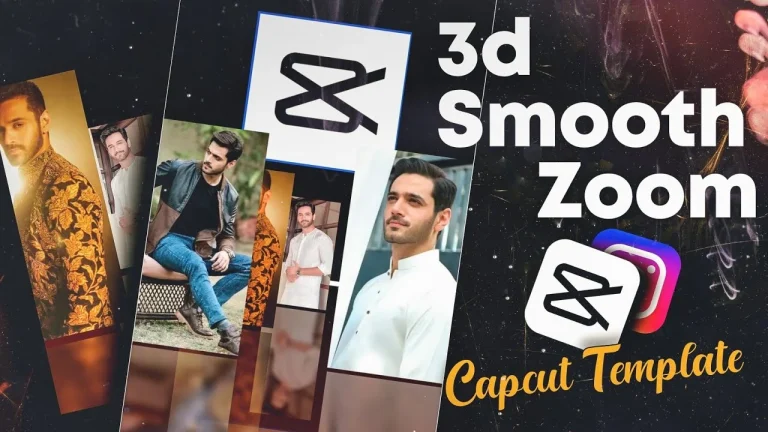
For a different flavor of high-impact editing, the 3D Zoom CapCut Template is another favorite — its parallax push gives still photos a cinematic depth that pairs well with dramatic music.
Getting the direct link safely
Searching “Habibi CapCut template direct link” returns a minefield of re-upload sites, some bundled with pop-up ads or misleading download buttons. The safest route is always inside CapCut itself: open the app, search “Habibi,” and use the template with the highest use count and a verified creator badge. Template links shared on reputable roundup pages are the next-best option — they deep-link into CapCut rather than asking you to download anything. Never install a separate “template app” or grant permissions to a site promising template packs; the real templates live inside CapCut and are free.
Frequently asked questions
Is the Habibi template free?
Yes. All the popular Habibi variants are free inside CapCut. If a site asks you to pay or install something extra for a “premium Habibi template,” walk away — it is not the real thing.
Which Habibi variant should I choose?
Match the variant to your material: photo remix for picture collections, slow motion for single dramatic clips, lyrics for music-forward edits. Preview three or four and pick the one whose pacing fits your footage.
Can I use my own song?
You can, but you will likely need to re-time the cuts — Habibi templates are cut to their specific track. If you swap audio, expect to spend a few minutes nudging clips back onto the beats.
Why is my export blurry?
Strobe and shake effects amplify compression artifacts. Use the highest-resolution source media you have and export at 1080p or above, and avoid re-editing an already-exported video.
The Habibi trend endures because its formula is bulletproof: tension, drop, impact. Grab a direct template link from a trusted source, feed it sharp photos, respect the beat, and you will have an edit that still turns heads. Find more high-energy formats among the latest templates on thecupcut.com, and for the complete unlocked toolkit, check out the CapCut MOD APK latest version.